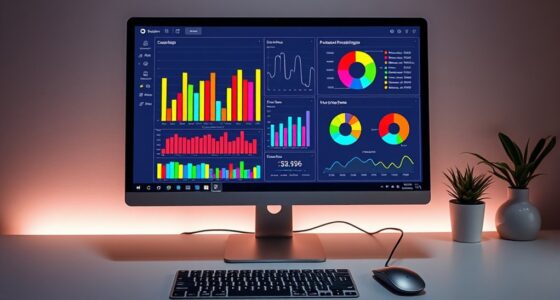

Embedding interactive charts in your presentations can boost engagement and make complex data easier to understand. These tools let your audience explore data points, filter information, and view details on demand, making your story more compelling. They help highlight key insights and keep your content relevant with real-time updates. By incorporating these dynamic visuals, you turn static data into an engaging experience that captures attention. Keep exploring to discover how to effectively integrate these features into your slides.
Key Takeaways
- Use tools like Google Data Studio, Tableau, or Microsoft Power BI to create interactive charts for embedding.
- Generate embed codes or shareable links for easy integration into presentation platforms like Google Slides or PowerPoint.
- Ensure charts are configured for interactivity, including filters, tooltips, and clickable regions, to engage viewers effectively.
- Embed live charts into presentations to enable real-time data updates and dynamic user interaction.
- Test embedded charts across devices and platforms to ensure functionality and accessibility during presentations.

Embedding interactive charts into your website or presentation can considerably enhance how your audience engages with data. When you incorporate data visualization tools that allow users to explore information dynamically, you make your content more compelling and accessible. Interactive charts invite your viewers to investigate deeper into the data, encouraging active participation rather than passive observation. This shift from static images to engaging visual elements boosts user engagement markedly, making your message more memorable and easier to understand.
By embedding these charts directly into your presentation or webpage, you give your audience the power to manipulate data points, filter information, or view details on demand. This interactivity helps clarify complex concepts, as users can see the immediate impact of different variables or scenarios. For example, a sales dashboard with clickable regions or adjustable timelines enables viewers to customize their view, fostering a sense of involvement that static charts simply can’t match. As a result, your audience can grasp insights more intuitively, which leads to better retention and comprehension.
Furthermore, interactive charts improve data visualization by transforming raw data into visually engaging stories. Instead of overwhelming your audience with dense spreadsheets or verbose reports, you make key insights stand out through visual cues like color coding, zooming, or tooltip overlays. These features guide viewers through the data narrative, highlighting important trends or anomalies without requiring extensive explanation. When your data visualization is interactive, it becomes a storytelling device that captures attention and sustains interest throughout your presentation.
In addition, embedding interactive charts can make your content more adaptable. Whether you’re presenting in person or sharing online, these tools can be easily integrated into various platforms, ensuring your data remains accessible and engaging regardless of the context. They also allow for real-time updates, meaning your charts can reflect the latest data without needing complete reformatting. This flexibility keeps your audience engaged with fresh, relevant information that feels current and authoritative.
Finally, understanding divorce process in different states can help you better interpret and communicate complex data, making your visualizations even more impactful. Ultimately, using interactive charts in your presentations not only improves the clarity and impact of your data visualization but also fosters a more engaging experience for your audience. When viewers can interact directly with the data, they’re more likely to pay attention, understand complex information, and remember key points. By leveraging these tools, you turn ordinary data into an interactive experience that captivates and educates, making your presentations stand out and delivering your message more effectively.
Top picks for "embedd interactive chart"
Open Amazon search results for this keyword.
As an affiliate, we earn on qualifying purchases.
Frequently Asked Questions
How Do I Ensure Compatibility Across Different Presentation Platforms?
To guarantee cross-platform compatibility, always save your interactive charts in widely supported file formats like PDF or HTML5. Test your presentations on different platforms—PowerPoint, Google Slides, or Keynote—to confirm the charts display correctly. Avoid proprietary formats that may not work everywhere. Keep your files simple, and include backup static images. This way, your interactive charts remain accessible and functional across various presentation platforms.
Can Interactive Charts Be Embedded in Offline Presentations?
Yes, you can embed interactive charts in offline presentations by utilizing specialized software that supports offline chart embedding. You simply save your charts in a compatible format, like HTML or embedded objects, ensuring seamless presentation compatibility. With this technique, you transform static slides into spectacular, synchronized stories, allowing your audience to engage with dynamic data directly, even without an internet connection. This guarantees your presentation’s power, precision, and professional polish.
What Is the Best Way to Update Embedded Charts During a Presentation?
You can update embedded charts during your presentation by linking them to live data sources or using software that supports dynamic updates. To do this, verify your chart is connected to a live data feed, such as a spreadsheet or database, and enable automatic refresh options. This way, your charts stay current, allowing you to present real-time insights seamlessly, engaging your audience with the most accurate and up-to-date information.
Are There Privacy Concerns When Using Online Chart Embedding Tools?
You might face serious data privacy concerns when using online chart embedding tools, as your sensitive information could be exposed to cyber villains. Always check if the platform has robust access control options to limit who views or edits your charts. It’s essential to understand how your data is stored and shared, ensuring your privacy stays intact—because in today’s digital world, your data’s security is more fragile than a house of cards.
How Do I Troubleshoot Performance Issues With Interactive Charts?
To troubleshoot performance issues with interactive charts, start by checking for plugin conflicts that might slow down your presentation. Clear data caching to guarantee outdated info isn’t causing delays. Disable unnecessary plugins and test the charts again. If problems persist, optimize your data sources or reduce chart complexity. Regularly update your tools to benefit from performance improvements and maintain smooth, responsive interactions during your presentations.
Conclusion
By embracing the art of embedding interactive charts, you subtly elevate your presentations, making complex data more approachable. While it may seem like a small step, it gently transforms your delivery into a more engaging experience. With a little practice, you’ll find that these visual tools can quietly enhance understanding and keep your audience captivated. Ultimately, it’s not just about charts—it’s about creating a seamless flow that leaves a lasting impression.