The best display setup for remote tutoring sessions includes dual monitors. This allows you to present teaching materials on one screen while monitoring student interactions on the other, boosting engagement. Make sure to position your webcam at eye level for a natural connection and choose high-resolution displays for clarity. Good lighting is essential, too, so consider adjustable LED lights. With the right setup, you’ll enhance your teaching efficiency and capture student attention effectively. Discover more tips for the perfect setup!
Key Takeaways
- Use dual monitors to separate teaching materials and student interactions, enhancing engagement and multitasking efficiency.
- Opt for monitors with at least 1080p resolution to ensure clear visuals for both you and your students.
- Position your webcam at eye level above the main screen to create a more natural connection with students.
- Choose interactive tools that allow screen sharing and whiteboarding, facilitated by the dual monitor setup for smoother navigation.
- Ensure your tutoring platform is compatible with your display setup to prevent technical issues during sessions.
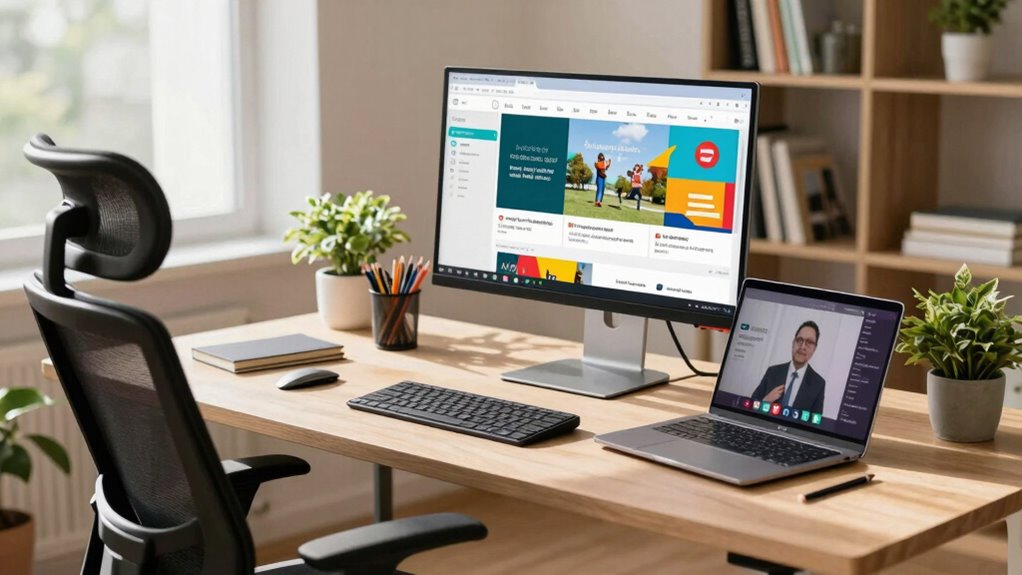
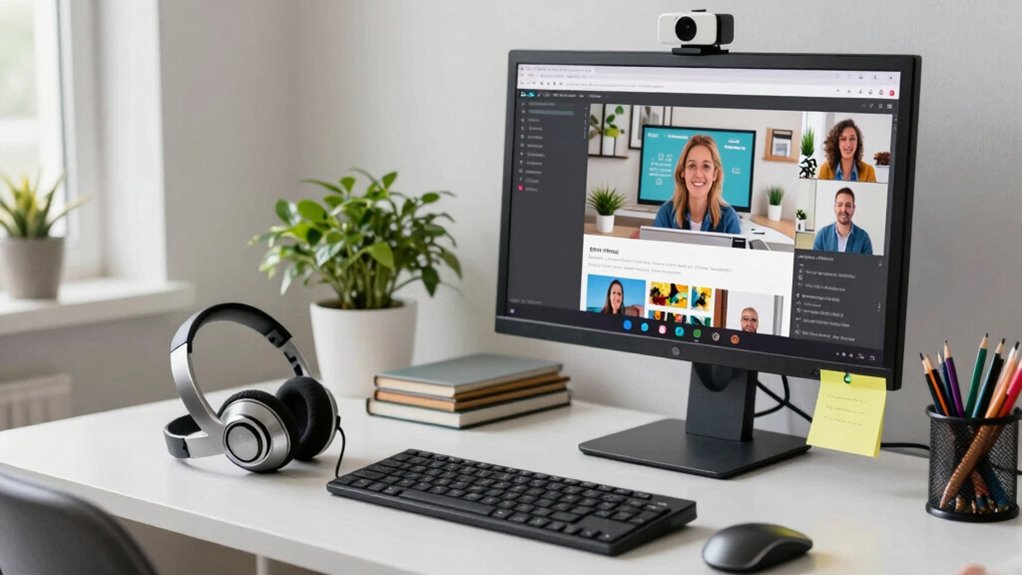
In today’s digital age, a solid display setup can make or break your remote tutoring experience. If you want to engage your students effectively, consider investing in dual monitors. This setup allows you to display your teaching materials on one screen while maintaining eye contact with your students on the other. With the right ergonomic arrangement, you’ll reduce strain on your neck and eyes, making sessions more comfortable for both you and your learners. Proper display setup can also help prevent technical issues and improve your overall teaching efficiency.
A dual monitor setup enhances remote tutoring, enabling effective engagement and reducing strain for a more comfortable learning experience.
When it comes to budget options, you don’t have to spend a fortune. Look for used or refurbished monitors that offer good screen resolution. A minimum of 1080p will guarantee your visuals are clear, which is essential for sharing documents or demonstrating concepts. Don’t forget about lighting considerations, either. Natural light is ideal, but if that’s not an option, invest in adjustable LED lights to minimize shadows and improve your visibility. A well-lit environment can make a significant difference in how you come across to your students.
Software compatibility is another key factor. Confirm that your tutoring platform works seamlessly with your display setup. Some interactive tools might require additional screen space, so having dual monitors can facilitate smoother multitasking. You’ll be able to pull up resources or respond to questions without fumbling through multiple windows. To ensure a smooth experience, it’s also helpful to check that your devices support the desired display resolution, which can enhance your visual clarity and overall teaching quality. Additionally, understanding the importance of proper setup can help prevent technical issues during your sessions.
Webcam positioning is essential, too. You want your camera at eye level to foster a more engaging atmosphere. If you’re using dual monitors, position your webcam above your main screen. This setup helps create the illusion of direct eye contact, making your students feel more connected. You might even want to invest in a good quality webcam that offers high resolution, guaranteeing your students see you clearly.
Finally, don’t underestimate the value of interactive tools. Platforms that allow for screen sharing, whiteboarding, or quizzes can make your sessions lively and engaging. With a dual monitor setup, you can easily navigate these tools while keeping an eye on your student’s reactions. Additionally, understanding the display resolution can help you choose monitors that deliver crisp visuals, further enriching your teaching experience. By optimizing your display setup, you’ll create a more immersive learning experience that not only captivates your students but also enhances your teaching effectiveness. Embrace these elements, and you’ll set the stage for successful remote tutoring sessions.
dual monitor setup for remote teaching
As an affiliate, we earn on qualifying purchases.
As an affiliate, we earn on qualifying purchases.
Frequently Asked Questions
What Internet Speed Is Ideal for Remote Tutoring Sessions?
For remote tutoring sessions, aim for at least 10-25 Mbps download speed. This range meets typical bandwidth requirements for video calls and file sharing. You’ll need a stable connection to avoid interruptions, so consider using a wired connection if possible. If multiple users are online, higher speeds might be necessary. Remember, a reliable internet connection enhances your sessions, making them smoother and more engaging for both you and your student.
How Can I Improve Audio Quality During Tutoring?
Did you know that 70% of effective communication relies on audio quality? To improve audio during tutoring, focus on proper microphone placement—keep it close to your mouth while minimizing background noise. Experiment with soundproofing techniques like heavy curtains or foam panels to dampen echoes. Also, consider using a quality headset to enhance clarity. By addressing these elements, you’ll create a more engaging and productive environment for your sessions.
What Lighting Conditions Are Best for Video Calls?
For video calls, you’ll want to use a combination of natural light and adjustable lamps for the best results. Position yourself facing the light source to enhance your appearance. If natural light isn’t available, consider using ring lights with adjustable color temperatures. Aim for glare reduction and shadow control, and add ambient lighting for a warm feel. Don’t forget about your video backdrop; a clean, well-lit space enhances your overall presence.
Should I Use a Headset or Speakers for Tutoring?
You should use a headset for tutoring. Headsets offer clear audio and reduce background noise, allowing you to focus on your student. They also prevent audio feedback, which can be distracting. On the other hand, speakers have drawbacks like echo and poor sound isolation, making it hard to hear your student clearly. For effective communication, a good headset is your best bet to enhance the overall tutoring experience.
How Do I Maintain Student Engagement in Virtual Sessions?
To keep your students glued to their screens like kids to candy, you’ve gotta use interactive activities and vibrant visual aids. Incorporate quizzes, polls, and breakout rooms to spark excitement, and don’t underestimate the power of enchanting visuals—charts, infographics, or videos can work wonders! Encourage participation by asking questions and giving instant feedback. When you mix up your methods, you’ll turn those virtual sessions into engaging adventures that students actually look forward to!
1080p computer monitors for tutoring
As an affiliate, we earn on qualifying purchases.
As an affiliate, we earn on qualifying purchases.
Conclusion
To sum up, a well-thought-out display setup can transform your remote tutoring sessions into a seamless experience. By combining a dual-monitor system with a quality webcam and proper lighting, you’ll create an inviting atmosphere that fosters learning. Just as a painter needs the right canvas, you need the right tools to inspire your students. With these enhancements, you’ll not only engage your learners more effectively, but also make each session a masterpiece of education.
adjustable LED desk lights
As an affiliate, we earn on qualifying purchases.
As an affiliate, we earn on qualifying purchases.
ergonomic webcam at eye level
As an affiliate, we earn on qualifying purchases.
As an affiliate, we earn on qualifying purchases.