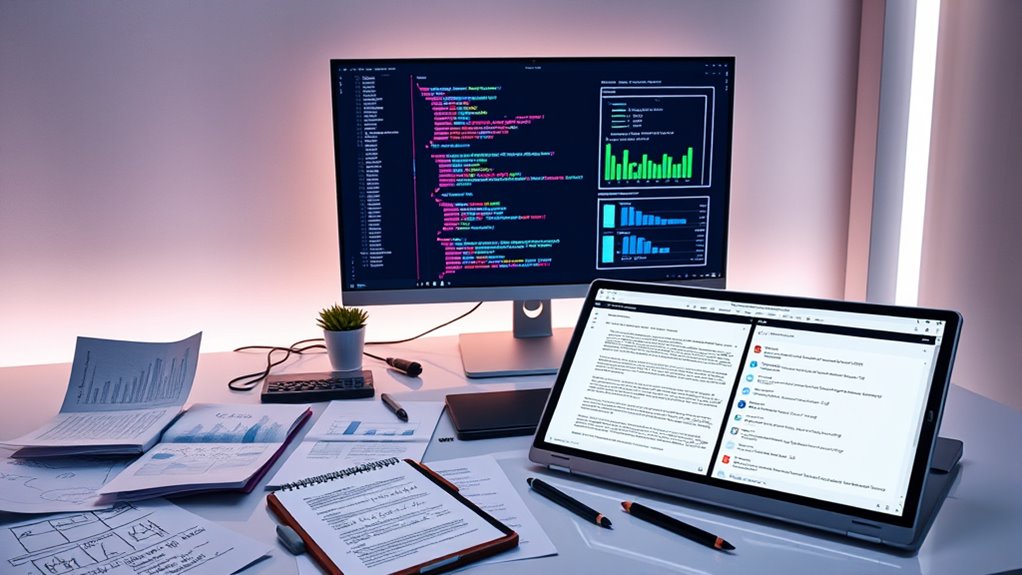

In collaborative statistics projects, using GitHub helps you track changes, manage code versions, and experiment safely with branching. Overleaf allows multiple team members to work on reports simultaneously, ensuring real-time feedback and consistent formatting. Combining these tools creates a smooth workflow that minimizes errors and keeps everyone on the same page. If you continue exploring, you’ll discover how integrating these platforms can markedly enhance your project management and results.
Key Takeaways
- GitHub tracks code, datasets, and project changes, enabling seamless collaboration and version control for statistical projects.
- Overleaf allows multiple team members to collaboratively write and edit reports in real time, ensuring consistency.
- Integrating GitHub with Overleaf ensures documentation stays synchronized with code and data updates.
- Branching in GitHub facilitates testing different analyses without disrupting the main project.
- Collaborative tools streamline workflow, reduce errors, and enhance transparency and reproducibility in statistical research.

Have you ever wondered how working together on a statistics project can enhance learning and produce more meaningful results? When you collaborate with others, you combine different perspectives, skills, and insights that can elevate the quality of your work. But to truly maximize the benefits of teamwork, you need tools that facilitate smooth communication and effective management of your project. That’s where version control and collaborative writing come into play, especially through platforms like GitHub and Overleaf.
Using GitHub for your statistics project offers a robust way to implement version control. With version control, you can track every change made to your code, datasets, and documents. This means you can easily revert to previous versions if needed, see who made specific updates, and understand the evolution of your project over time. When working in a group, this transparency prevents confusion and overlapping efforts. Everyone can contribute without fear of overwriting someone else’s work, which is especially important when handling complex datasets or statistical scripts. Additionally, GitHub’s branching system allows team members to experiment with different ideas or analyses without disrupting the main project. Once tested and refined, these branches can be merged back, ensuring a cohesive final product. This structured approach keeps your project organized, making collaboration more efficient and less error-prone. Incorporating version control into your workflow also improves reproducibility and transparency, which are essential in statistical research.
Collaborative writing becomes equally indispensable when your project involves extensive documentation, reports, or research papers. Overleaf, an online LaTeX editor, makes collaborative writing straightforward. It allows multiple team members to work on the same document simultaneously, seeing each other’s edits in real-time. This immediate feedback accelerates the writing process and helps maintain a consistent style and structure throughout your report. Overleaf also simplifies managing references, equations, and formatting, which are common in statistical documentation. When combined with GitHub, you can version control the project’s code and data while simultaneously collaborating on the written analysis. This integration ensures that your documentation always aligns with your latest code and results, reducing discrepancies and miscommunication.
GitHub desktop version control software
As an affiliate, we earn on qualifying purchases.
As an affiliate, we earn on qualifying purchases.
Frequently Asked Questions
How Do I Resolve Merge Conflicts in Github?
To resolve merge conflicts in GitHub, first identify the conflicting files during a branch merge, then open those files to see conflict markers. You need to manually choose which changes to keep, edit the files for clarity, and remove conflict markers. After resolving conflicts, stage and commit the changes. Effective branch management and careful conflict resolution help keep your project organized and prevent future issues.
Can Overleaf Integrate With Version Control Systems?
Yes, Overleaf integrates with version control systems to enhance LaTeX collaboration. You can connect Overleaf with GitHub or GitLab, allowing you to track changes, manage versions, and collaborate seamlessly. This integration makes it easy to synchronize your LaTeX project, resolve conflicts, and maintain a clear history of edits. By leveraging version control integration, you streamline your collaborative workflow and guarantee everyone stays on the same page during your LaTeX collaboration.
What Are Best Practices for Managing Large Datasets Collaboratively?
Managing large datasets collaboratively is like steering a ship through rough waters. You should start by implementing data anonymization to protect sensitive info and use dataset versioning to track changes efficiently. Store datasets in a cloud-based platform with access controls, and communicate regularly with your team. Automate updates and backups to prevent data loss, ensuring smooth sailing on your project’s journey.
How Do I Track Changes Effectively in Overleaf?
To track changes effectively in Overleaf, you should use version control features like the built-in history tool, which allows you to see and compare different versions of your document. Regularly save versions as you make significant edits, and add descriptive comments to explain changes. This way, you can easily revert to previous versions if needed and keep track of your progress, ensuring smooth collaboration.
Are There Security Concerns When Sharing Projects on Github?
Think of sharing your project on GitHub as guarding a treasure chest. Yes, there are security concerns, but with proper access control, you keep your data privacy intact. You decide who can see or edit your work, just like a lock on the chest. Be cautious with sensitive data, and use private repositories when necessary. This way, you protect your work while collaborating effectively.
Overleaf collaborative LaTeX editor
As an affiliate, we earn on qualifying purchases.
As an affiliate, we earn on qualifying purchases.
Conclusion
By harnessing tools like GitHub and Overleaf, you’re building more than just a project—you’re creating a bridge between collaboration and innovation. Think of each commit and edit as a puzzle piece fitting into a larger picture, symbolizing growth and teamwork. As you navigate these platforms, remember that your shared efforts illuminate the path forward, transforming individual ideas into a collective masterpiece. Embrace this journey, and let your collaboration become a beacon of progress.
statistical project management tools
As an affiliate, we earn on qualifying purchases.
As an affiliate, we earn on qualifying purchases.
code and document version control software
As an affiliate, we earn on qualifying purchases.
As an affiliate, we earn on qualifying purchases.