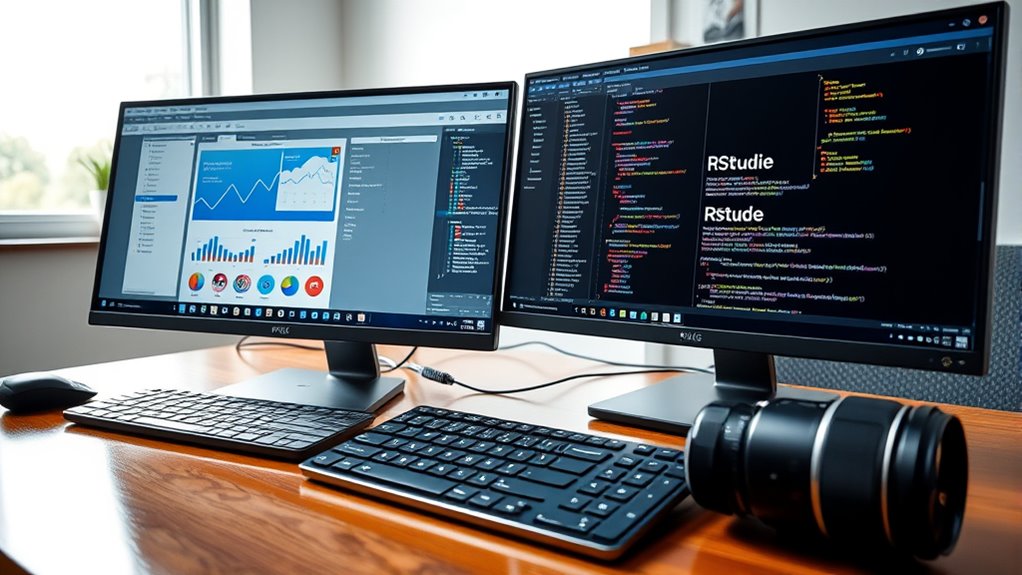

If you want an easy-to-use tool that offers quick results, SPSS is a good choice since it has a menu-driven interface and minimal coding. However, if you’re willing to learn scripting for more advanced, customizable analyses, R provides extensive capabilities and flexibility through its vast library ecosystem. Your decision depends on whether you prefer simplicity or deep analytical power—exploring further can help you choose the best fit for your needs.
Key Takeaways
- Choose SPSS for quick, user-friendly analysis without programming skills; opt for R if you want flexibility and advanced capabilities.
- SPSS suits beginners and standard statistical tasks; R is better for complex, large datasets and custom analyses.
- SPSS is commercial software with licensing costs; R is open-source and free, supported by an extensive community.
- R offers extensive visualization and automation options through its libraries; SPSS provides straightforward, menu-driven procedures.
- For long-term skill development in advanced statistics and data science, learning R provides greater benefits.

Have you ever wondered which statistical software is better suited for your data analysis needs: SPSS or R? Choosing between these two options depends on several factors, including your familiarity with programming languages, the complexity of your analysis, and your long-term goals. Both are powerful tools, but they serve different audiences and purposes. Understanding their differences can help you make an informed decision.
SPSS is a user-friendly statistical software that appeals to users who prefer a graphical interface over coding. Its point-and-click approach allows you to perform complex statistical tests without needing to learn a programming language. This makes SPSS ideal for beginners or those who need quick results with minimal setup. The software offers a broad range of statistical procedures, from descriptive statistics to advanced multivariate analyses, all accessible through menus and dialog boxes. Its intuitive design simplifies data management, making it easier for users to organize and analyze datasets efficiently. If you’re working in a corporate or academic environment where ease of use and standardized procedures matter, SPSS can be a practical choice.
SPSS offers a user-friendly, menu-driven interface ideal for quick, straightforward statistical analysis.
In contrast, R is an open-source programming language tailored for statistical computing and graphics. Unlike SPSS, R requires you to write code, which initially might seem intimidating. However, this approach grants you unparalleled flexibility and control. R’s extensive library ecosystem enables you to perform virtually any statistical analysis or data visualization you can imagine. Because R is a programming language, it supports automation, customization, and reproducibility of analyses—crucial features for data scientists, statisticians, and researchers handling large or complex datasets. Additionally, R’s active community continually develops packages that extend its functionality, often at no cost. If you’re comfortable with programming or willing to learn, R offers a steep but rewarding learning curve, ultimately empowering you to perform sophisticated analyses beyond the scope of standard statistical software.
Ultimately, your choice hinges on your skill set and needs. If you prefer a straightforward, menu-driven interface and need quick results, SPSS is a solid choice. If you want more flexibility, customization, and the ability to handle complex or repetitive tasks efficiently, R is better suited. Keep in mind, learning R can open doors to a broader range of statistical techniques and data visualization options, making it a valuable skill for anyone serious about data analysis. Both tools have their merits, but understanding your specific requirements and comfort with programming will guide you toward the best option for your projects.

IBM SPSS for Introductory Statistics
As an affiliate, we earn on qualifying purchases.
As an affiliate, we earn on qualifying purchases.
Frequently Asked Questions
Which Software Is Better for Beginners?
If you’re a beginner, SPSS is better because of its user friendliness and gentle learning curve. It offers a straightforward interface, making it easier to navigate and perform basic statistical analyses without much prior experience. R, while powerful, has a steeper learning curve and requires familiarity with coding. So, if you want quick results and an easier start, go with SPSS.
How Do the Costs Compare Between SPSS and R?
You’ll find that R is free, with no licensing costs, making it highly budget-friendly. In contrast, SPSS requires a paid license, which can be expensive depending on the version and licensing options. Additionally, training expenses for R tend to be lower since it’s open-source and has many free resources, while SPSS might involve higher training costs due to its proprietary nature and structured support.
Can I Integrate SPSS With Other Programming Languages?
Yes, you can integrate SPSS with other programming languages, enhancing your data integration and scripting capabilities. SPSS offers Python and R integration, allowing you to automate tasks and connect with various data sources. This flexibility helps streamline workflows, making it easier to combine SPSS’s user-friendly interface with the advanced scripting features of other languages, so you can customize your analysis process and improve efficiency.
What Are the Most Common Use Cases for R?
Imagine wielding a magic wand that transforms raw data into stunning visuals and clear insights—R’s most common use cases. You’ll immerse yourself in descriptive statistics to understand your data’s soul and craft eye-catching data visualizations that make complex info understandable. R’s the tool for data scientists, researchers, and analysts who crave flexibility, automation, and powerful analysis—turning endless data into stories everyone can grasp.
Is SPSS Suitable for Large-Scale Data Analysis?
SPSS isn’t ideal for large-scale data analysis because of scalability concerns and data volume handling limitations. If you’re working with massive datasets, it may slow down or struggle to process data efficiently. You might find R more suitable, as it handles large data volumes better and offers scalable solutions through packages like data.table and bigmemory. So, for big data projects, R is generally the smarter choice.

R Programming Language Cheat Sheet – Quick Reference Guide for Data Analysis & Statistics
As an affiliate, we earn on qualifying purchases.
As an affiliate, we earn on qualifying purchases.
Conclusion
Ultimately, choosing between SPSS and R depends on your goals and preferences. If you want something user-friendly and quick, SPSS might be your best bet. But if you’re ready to dive deeper and customize your analyses, R offers endless possibilities. Remember, Rome wasn’t built in a day—learning either tool takes time. Whichever you choose, stay persistent, and you’ll master it in due time. After all, the journey of a thousand miles begins with a single step.

Practical SQL, 2nd Edition: A Beginner's Guide to Storytelling with Data
As an affiliate, we earn on qualifying purchases.
As an affiliate, we earn on qualifying purchases.

Advanced Analytics with Power BI and Excel: Learn powerful visualization and data analysis techniques using Microsoft BI tools along with Python and R … Automation — Excel & Power Platform)
As an affiliate, we earn on qualifying purchases.
As an affiliate, we earn on qualifying purchases.