A good laptop for thesis data analysis needs strong performance, like an Intel Core i5/i7 or AMD Ryzen 5/7, to handle complex tasks smoothly. Aim for at least 512GB of SSD storage for quick access to large datasets. You’ll want a battery life of 8 hours or more, so you can work anywhere without searching for outlets. Compatibility with essential software is vital, too. Stick around to discover more key factors that can enhance your thesis experience.
Key Takeaways
- A powerful processor, like Intel Core i5/i7 or AMD Ryzen 5/7, enhances performance for complex data tasks and multitasking.
- Ensure software compatibility with essential tools such as MATLAB, R, or Python to avoid operational issues during analysis.
- Opt for at least 512GB of SSD storage for quick access to large datasets and improved system responsiveness.
- Look for laptops with a minimum of 8 hours of battery life for uninterrupted work in various environments.
- User reviews can provide insights into real-world performance, durability, and any potential issues not covered in specifications.
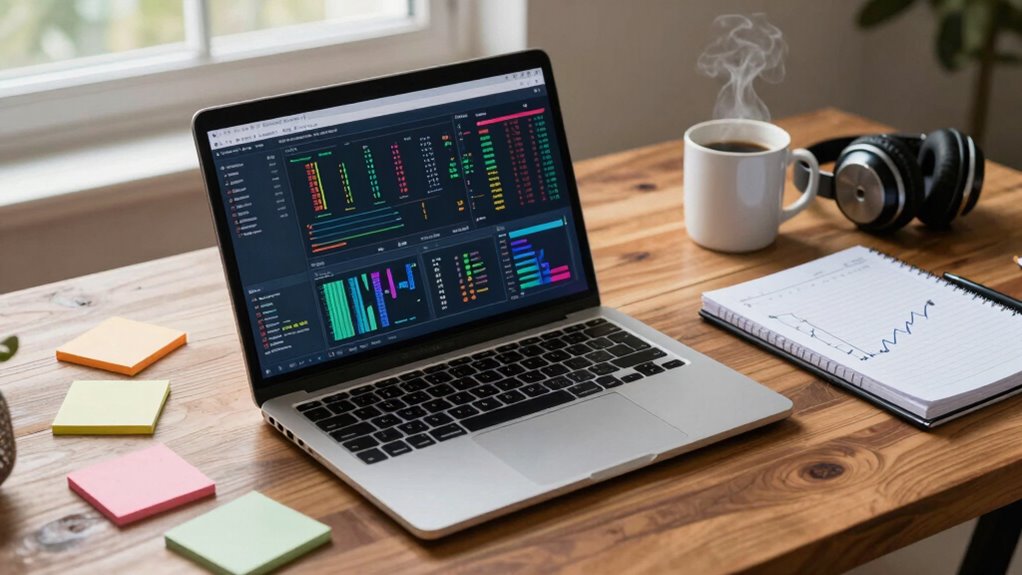
When you’re exploring thesis data analysis, choosing the right laptop can make all the difference. You need a machine that can handle intensive data processing effortlessly. Look for laptops that boast powerful processors—ideally, something from the latest Intel Core i5 or i7 series, or AMD Ryzen 5 or 7. These chips not only deliver speed but also enhance your overall productivity. As you sift through your options, pay attention to performance benchmarks. Models with high benchmark scores usually indicate better performance for multitasking and running complex analysis software.
Next up, software compatibility is essential. Depending on your field, you might need specific tools like MATLAB, R, or Python. Confirm the laptop you choose can run these applications smoothly. Check system requirements for the software you intend to use, and make sure your laptop exceeds those specs. This way, you won’t find yourself frustrated when you’re deep into your analysis and your laptop struggles to keep up.
Software compatibility is crucial; ensure your laptop can handle essential tools like MATLAB, R, or Python for seamless data analysis.
Storage capacity is another key factor. Data files can quickly balloon, especially if you’re working with large datasets. A laptop with at least 512GB of SSD storage is ideal. SSDs not only provide quicker access to your files but also improve overall system responsiveness. If you anticipate needing more storage down the line, consider models with expandable options or those that support external drives. Additionally, opting for a high-performance storage solution can make a noticeable difference in your workflow. Investing in a laptop with adequate RAM is also crucial to handle large datasets efficiently.
Battery life shouldn’t be overlooked either. You might find yourself working in various locations, from libraries to cafes. Aim for a laptop that offers at least 8 hours of battery life on a single charge. This will give you the flexibility to work uninterrupted, allowing you to engage in your data analysis without constantly searching for an outlet. Additionally, paying attention to performance benchmarks can help you identify models that excel in real-world tasks related to your work.
Finally, don’t underestimate the power of user reviews. Before making a decision, check online feedback to gauge real-world performance. Users often share insights on durability, customer service, and any quirks that might not show up in spec sheets. This can save you from making a costly mistake.
Laptop for thesis data analysis
As an affiliate, we earn on qualifying purchases.
As an affiliate, we earn on qualifying purchases.
Frequently Asked Questions
What Operating System Is Best for Data Analysis on Laptops?
For data analysis on laptops, you’ll find that Linux and Windows are great options. Linux offers powerful statistical tools and customization, making it a favorite among data scientists. Windows, on the other hand, supports various data visualization software and user-friendly applications. Choose the OS that aligns with the tools you plan to use, ensuring you have access to the statistical resources you need for effective analysis and visual representation of your data.
How Much RAM Do I Actually Need for Thesis Work?
Did you know that 64% of researchers struggle with data processing due to insufficient RAM? For your thesis work, you’ll need at least 16GB of RAM to handle data visualization and statistical modeling effectively. This amount guarantees smooth multitasking and quick processing, allowing you to analyze complex datasets without frustration. If you’re working with larger datasets or doing advanced analyses, consider upgrading to 32GB for even better performance.
Are Gaming Laptops Suitable for Data Analysis Tasks?
Yes, gaming laptops can be suitable for data analysis tasks. They often have impressive performance benchmarks and strong GPU capabilities, which can handle complex calculations and visualizations efficiently. If you’re working with large datasets or running demanding software, a gaming laptop’s hardware can provide the power you need. Just make sure it has enough RAM and storage to support your specific analysis requirements, ensuring smooth multitasking and data processing.
What Software Should I Prioritize for Data Analysis?
When you’re diving into data analysis, prioritize statistical software like R or Python for crunching numbers. Don’t forget about data visualization tools like Tableau to present your findings clearly. If you’re into machine learning, libraries like TensorFlow and scikit-learn are essential. Also, consider cloud computing services like AWS or Google Cloud for scalability. Just like a time traveler needs the right tools for each era, you need the best software for your analysis!
How Important Is Battery Life for Thesis Data Analysis?
Battery life is essential for thesis data analysis, especially when you’re working on the go. You want to guarantee your laptop lasts through long sessions without needing a charge. Utilize battery optimization techniques and adjust your power management settings to maximize efficiency. This way, you can focus on analyzing data without interruptions. A reliable battery means you can tackle your thesis confidently, whether you’re at a café or the library.
High performance laptop with SSD 512GB
As an affiliate, we earn on qualifying purchases.
As an affiliate, we earn on qualifying purchases.
Conclusion
When choosing a laptop for thesis data analysis, remember: you’re not just picking a pretty face. Sure, you might be tempted by shiny features, but if it can’t handle your data like a champ, it’s just a fancy paperweight. So, go for that powerhouse machine, not the one that’ll crash during your all-nighter. After all, your thesis deserves better than a laptop that thinks “processing” means taking a coffee break. Your future’s on the line—choose wisely!
Laptop with 8+ hours battery life for students
As an affiliate, we earn on qualifying purchases.
As an affiliate, we earn on qualifying purchases.
Compatible laptops for MATLAB R Python
As an affiliate, we earn on qualifying purchases.
As an affiliate, we earn on qualifying purchases.