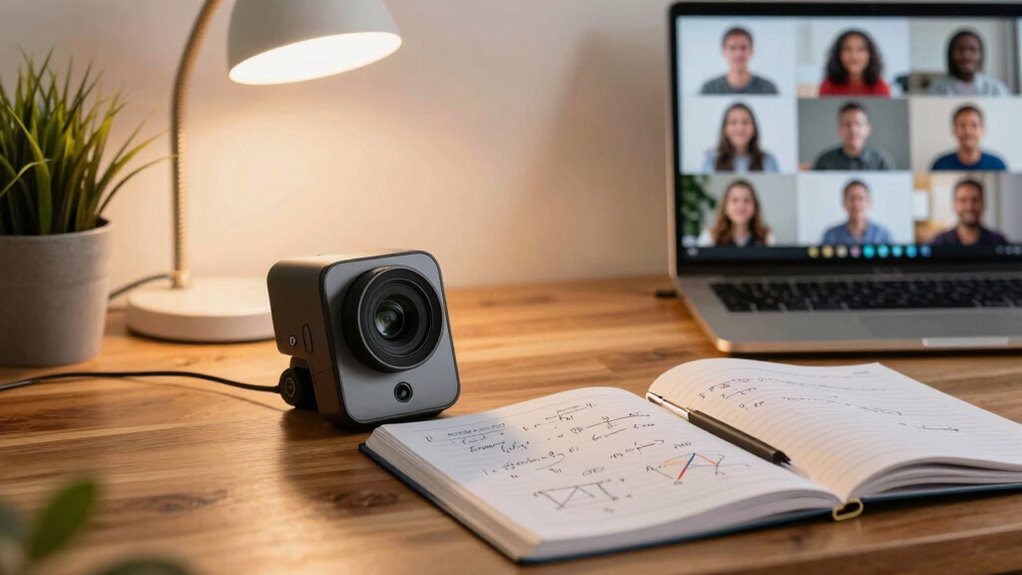

Using a document camera for online math help makes complex concepts clearer and more engaging. You can share your writing and diagrams in real time, capturing every step in problem-solving. Highlight important parts and use color to differentiate variables, helping students visualize the process. Encourage interaction by inviting students to solve problems while providing immediate feedback on mistakes. This approach keeps sessions dynamic and tailored to student needs, and there’s more to explore about optimizing your sessions.
Key Takeaways
- Use the document camera to share real-time writing and diagrams, enhancing visual learning during online math and statistics sessions.
- Demonstrate problem-solving processes by capturing each calculation and emphasizing key steps with colors or highlights for better understanding.
- Encourage student interaction by inviting them to solve problems on the camera, fostering a dynamic and engaging learning environment.
- Adapt your teaching by creating examples or practice problems on the fly, addressing specific student struggles as they arise.
- Integrate technology effectively by understanding document camera functionality and troubleshooting common issues for smoother online sessions.
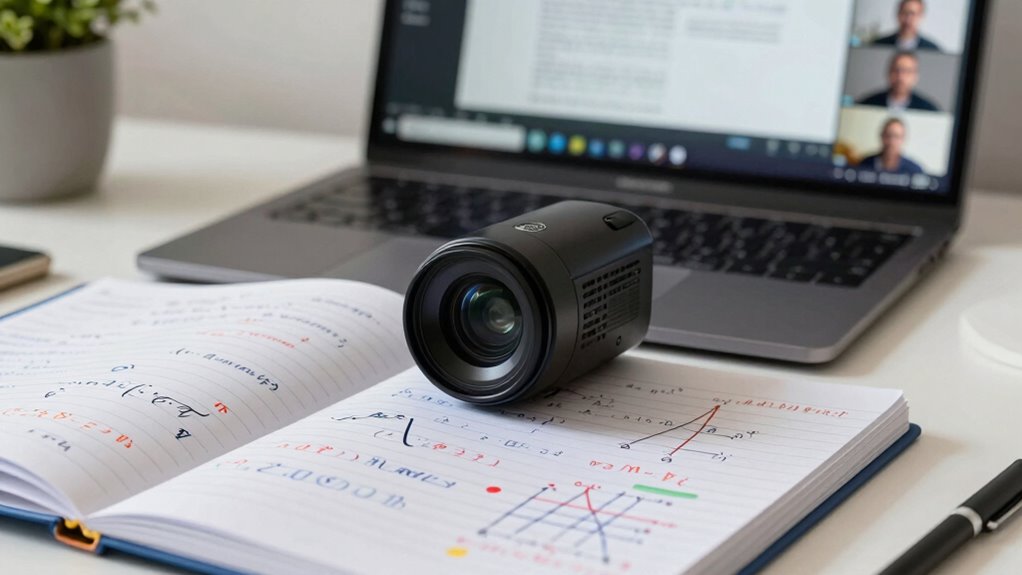
Using a document camera can transform your online math help sessions from ordinary to engaging. This tool lets you share your writing and diagrams in real time, making it easier for students to grasp complex concepts. Instead of talking through problems without visual aid, you can show them step-by-step solutions, which enhances understanding and retention.
Imagine explaining a complicated equation while writing it out on paper, all captured by your document camera. Your students can see every stroke, every calculation, as you break down the problem. This kind of visual demonstration is invaluable, especially in math, where seeing the process can make all the difference. Instead of relying solely on verbal explanations, you can actively engage your students with clear visuals that help them follow along.
Visual demonstrations with a document camera make complex math concepts easier to grasp, engaging students through step-by-step breakdowns.
When you explain mathematical concepts, it’s essential that students can see how you arrive at solutions. With a document camera, you can highlight important parts of your work, circle terms, and even use different colors to differentiate between variables. This not only keeps your students interested but also reinforces learning. They can visualize the problem-solving process, which aids in their comprehension.
Additionally, you can encourage interaction during your sessions. You can ask students to solve problems while you capture their work on the document camera. This creates an interactive environment where they can receive immediate feedback. If they make a mistake, you can point it out in real time, helping them understand where they went wrong and how to correct it. This immediate feedback loop fosters a more dynamic learning experience.
Moreover, using a document camera allows you to adapt your teaching style to meet the needs of your students. If you notice some are struggling with a particular concept, you can pivot and spend more time on that area. You can draw additional examples or create practice problems on the fly, all while keeping the session interactive and engaging. Incorporating visual aids can significantly improve students’ comprehension and retention of mathematical concepts. Also, integrating educational technology can further enhance the effectiveness of your online teaching sessions by providing versatile teaching tools.
In addition, understanding how devices work can help ensure you use your document camera effectively and troubleshoot common issues, making your sessions smoother.

IPEVO V4K Ultra High Definition 8MP USB Document Camera — Mac OS, Windows, Chromebook Compatible for Live Demo, Web Conferencing, Distance Learning, Remote Teaching, Green
Features an 8 Megapixel camera for capturing Ultra High Definition live images up to 3264 x 2448 pixels
As an affiliate, we earn on qualifying purchases.
As an affiliate, we earn on qualifying purchases.
Frequently Asked Questions
Can I Use My Smartphone as a Document Camera?
Yes, you can use your smartphone as a document camera! With various smartphone apps available, you can easily capture and share documents in real time. Just make sure your camera quality is good enough for clear images. Position your phone on a stand or tripod to keep it steady. Once you’re set up, you’ll be ready to enhance your online sessions, making it easier for others to follow along with your materials.
What Software Is Best for Integrating a Document Camera?
Choosing the right software can make all the difference. For seamless integration, consider options like Zoom or OBS Studio, as they offer excellent software compatibility with various document camera features. These platforms let you share your visuals effortlessly, enhancing your online sessions. Don’t overlook tools like Microsoft Teams or Google Meet, either. They provide robust support, ensuring your document camera works smoothly, letting you focus on what truly matters—engaging with your audience.
How Do I Adjust Lighting for Clear Images?
To adjust lighting for clear images, use natural light whenever possible. Position your document camera facing a window, but avoid direct sunlight to reduce glare. If you’re using artificial light, place a soft light source at a 45-degree angle to your setup. Experiment with lighting techniques, like diffusing harsh light with a white sheet, to enhance image clarity. Always check your camera’s preview to verify the adjustments work before starting your session.
Can a Document Camera Record My Sessions?
Yes, a document camera can record your sessions. To ascertain high session quality, use effective recording techniques, like adjusting the camera’s settings for clarity and stability. Many document cameras come with built-in recording features or can connect to your computer’s software, allowing you to capture everything you present. Just make certain to test the audio and video beforehand to guarantee a smooth recording experience. This way, your students can review the material later!
What Are the Best Document Cameras for Budget Users?
Did you know that over 60% of educators look for budget-friendly tech solutions? When you’re searching for the best document cameras on a budget, consider brands like IPEVO and AVer. They offer affordable options without sacrificing quality. Be sure to check user reviews to see what others think about their performance and reliability. With the right choice, you can enhance your online sessions without breaking the bank!

Counting Caddie and Place Value Pocket Chart for Classroom Home School Kindergarten/Morning Meetings & Math Lessons
This hands-on learning chart is brightly colored for counting, sorting, grouping, and place values
As an affiliate, we earn on qualifying purchases.
As an affiliate, we earn on qualifying purchases.
Conclusion
In wrapping up, utilizing a document camera can truly enhance your online math and statistics sessions, offering a seamless way to illustrate complex concepts. By showcasing your work in real-time, you invite a deeper understanding and collaboration. So, as you begin this journey, remember that this tool is more than just a gadget—it’s a bridge to clarity and connection, transforming challenges into opportunities for growth. Embrace it, and watch your students thrive.
IPEVO V4K Ultra High Definition 8MP USB Document Camera — Mac OS, Windows, Chromebook Compatible for Live Demo, Web Conferencing, Distance Learning, Remote Teaching, Green
Features an 8 Megapixel camera for capturing Ultra High Definition live images up to 3264 x 2448 pixels
As an affiliate, we earn on qualifying purchases.
As an affiliate, we earn on qualifying purchases.
IPEVO V4K Ultra High Definition 8MP USB Document Camera — Mac OS, Windows, Chromebook Compatible for Live Demo, Web Conferencing, Distance Learning, Remote Teaching, Green
Features an 8 Megapixel camera for capturing Ultra High Definition live images up to 3264 x 2448 pixels
As an affiliate, we earn on qualifying purchases.
As an affiliate, we earn on qualifying purchases.